
Crear un enlace ‘Abrir en Antennapod’
¿Quiere facilitar a su red o a su audiencia la incorporación de su(s) podcast(s) en AntennaPod? Sólo tiene que incluir un enlace como el que figura a continuación en su sitio web o donde desee. Asegúrese de sustituir xyz por la URL de su canal RSS y abc por el título de su podcast. Tenga en cuenta que si su URL o título contienen caracteres especiales, como &, estos deben estar codificados en URL.
https://antennapod.org/deeplink/subscribe?url=xyz&title=abc
Además pudo convertir el mismo enlaza a un botón, p.ej., utilizando el código siguiente:
<style>.antennapod-subscribe{ color: #fff; background: #007bff; display: inline-block; padding: 0.5em; text-decoration:none; border-radius:0.5em; font-family: sans-serif;} .antennapod-subscribe:hover {background: #0069d9;}</style>
<a href="https://antennapod.org/deeplink/subscribe?url=xyz&title=abc" class="antennapod-subscribe">Subscribe in AntennaPod</a>
Lo que ven los usuarios
Los usuarios que hayan instalado AntennaPod y abran ese enlace podrán obtener una vista previa de los episodios y suscribirse a su podcast directamente en la aplicación, como en las capturas de pantalla a continuación.
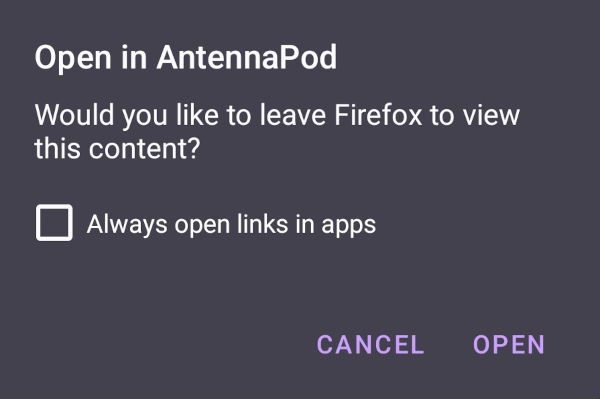
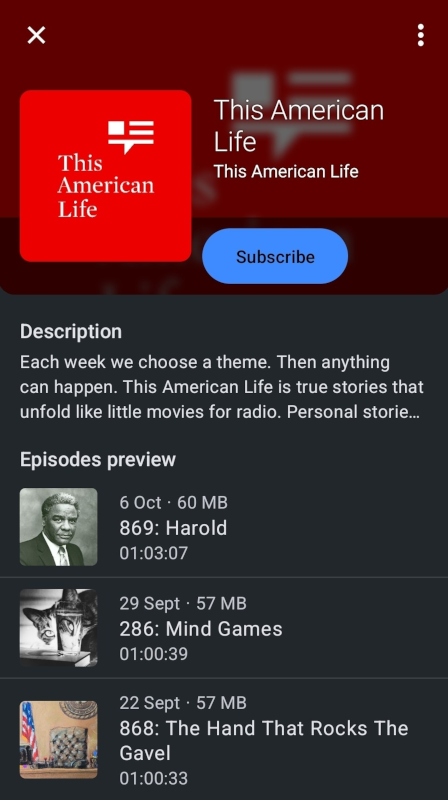
Por otro lado, los usuarios que no tengan instalado AntennaPod verán una página con instrucciones para descargar la aplicación o suscribirse a su podcast manualmente, como en esta página de ejemplo.
Marca
¿Te gustaría utilizar nuestro logotipo para crear un botón ‘Abrir en AntennaPod’ con la marca? Puedes echar un vistazo a nuestro repositorio de marcas comerciales.