
Maak een ‘Open in AntennaPod’ link aan
Wil je het makkelijk maken voor je netwerk of publiek om je podcast(s) toe te voegen in AntennaPod? Voeg simpelweg een link toe aan je website of waar dan ook. Vergeet niet om xyz te vervangen met de URL van je RSS feed en abc met de titel van je podcast.
https://antennapod.org/deeplink/subscribe?url=xyz&title=abc
You could also turn the same link into a button, e.g. by using the following code:
<style>.antennapod-subscribe{ color: #fff; background: #007bff; display: inline-block; padding: 0.5em; text-decoration:none; border-radius:0.5em; font-family: sans-serif;} .antennapod-subscribe:hover {background: #0069d9;}</style>
<a href="https://antennapod.org/deeplink/subscribe?url=xyz&title=abc" class="antennapod-subscribe">Subscribe in AntennaPod</a>
What users see
Users who have installed AntennaPod and open that link will be able to preview episodes and subscribe to your podcast directly in the app, as in the screenshots below.
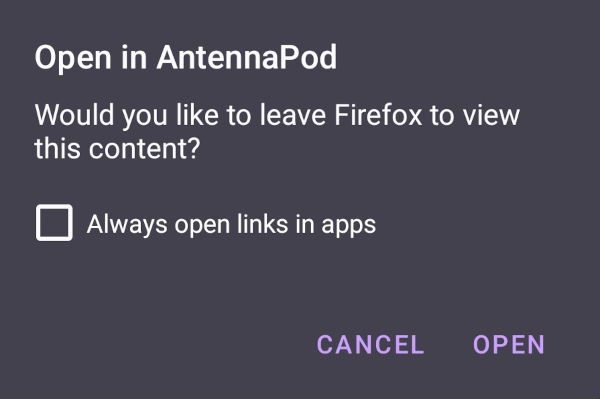
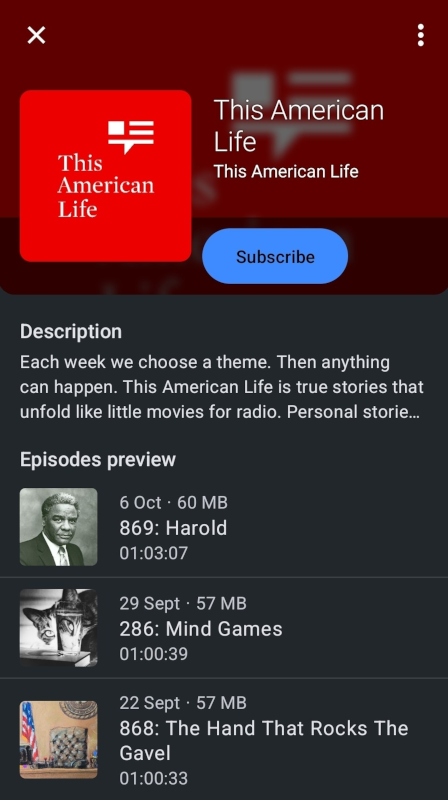
On the other hand, users who don’t have AntennaPod installed will see a page with instructions to download the app or to subscribe to your podcast manually, as in this example page.
Branding
Heb je ons logo nodig? Deze vind je in onze branding repository.