
ساخت پیوند «باز کردن در آنتناپاد»
آیا میخواهید برای شبکه یا مخاطبان خود افزودن پادپخش(های) شما به آنتناپاد را آسان کنید؟ کافی است پیوندی مثل آنچه در زیر داده شده در وبگاه خود یا هر جای دیگری که میخواهید قرار دهید. مطمئن شوید که xyz را با URL خوراک RSS و abc را با نام پادپخش خود جایگزین کنید.
https://antennapod.org/deeplink/subscribe?url=xyz&title=abc
میتوانید همان پیوند را به دکمه تبدیل کنید، مثلاً با استفاده از کد زیر:
<style>.antennapod-subscribe{ color: #fff; background: #007bff; display: inline-block; padding: 0.5em; text-decoration:none; border-radius:0.5em; font-family: sans-serif;} .antennapod-subscribe:hover {background: #0069d9;}</style>
<a href="https://antennapod.org/deeplink/subscribe?url=xyz&title=abc" class="antennapod-subscribe">Subscribe in AntennaPod</a>
آنچه کاربران خواهند دید
کاربرانی که آنتناپاد نصب کردهاند و آن پیوند را باز کنند، میتوانند قسمتها را پیشنمایش ببینند و مستقیم در برنامه به پادپخش شما اشتراک بپیوندند، مثل تصاویر زیر.
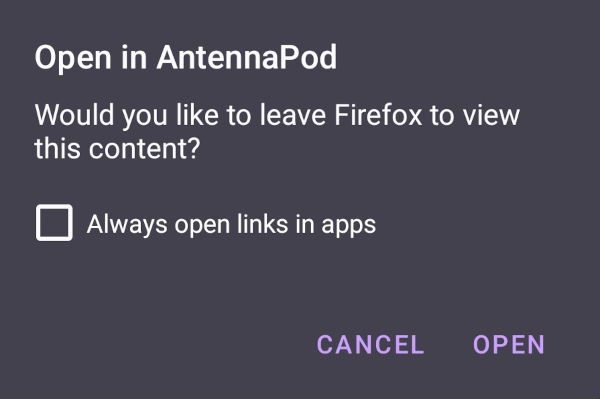
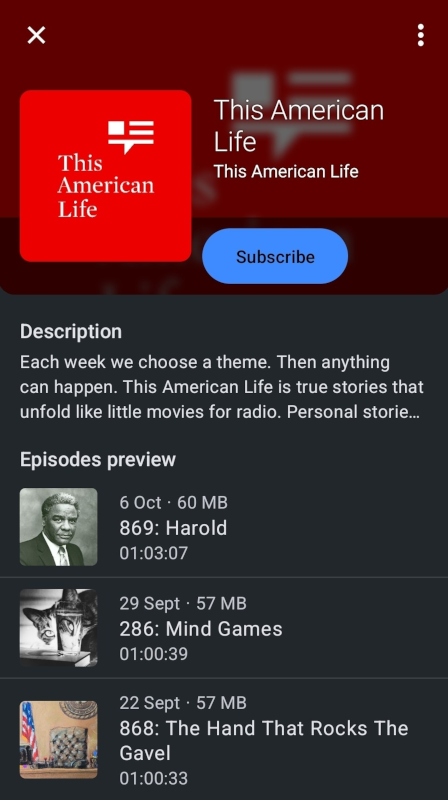
از سوی دیگر، کاربرانی که آنتناپاد نصب نکردهاند صفحهای با دستورالعمل بارگیری برنامه یا اشتراک دستی به پادپخش شما میبینند، مثل این صفحه نمونه.
ویژندگی
آیا میخواهید از نشان ما برای ساخت دکمه «باز کردن در آنتناپاد» برندشده استفاده کنید؟ آن را در مخزن برندینگ ما پیدا کنید.