
Créer un lien « Ouvrir dans AntennaPod »
Voulez-vous que votre réseau ou votre public puisse facilement ajouter votre (vos) podcast(s) à AntennaPod ? Il vous suffit d’inclure un lien tel que celui présenté ci-dessous sur votre site web ou à l’endroit de votre choix. Veillez à remplacer xyz par l’URL de votre flux RSS et abc par le titre de votre podcast.
https://antennapod.org/deeplink/subscribe?url=xyz&title=abc
Vous pouvez aussi transformer le même lien en un bouton, par exemple en utilisant le code suivant :
<style>.antennapod-subscribe{ color: #fff; background: #007bff; display: inline-block; padding: 0.5em; text-decoration:none; border-radius:0.5em; font-family: sans-serif;} .antennapod-subscribe:hover {background: #0069d9;}</style>
<a href="https://antennapod.org/deeplink/subscribe?url=xyz&title=abc" class="antennapod-subscribe">Subscribe in AntennaPod</a>
Ce que voient les utilisateurs
Les utilisateurs qui ont installé AntennaPod et ouvrent ce lien seront en mesure de voir des aperçus des épisodes et de s’abonner à votre podcast directement depuis l’application, comme on peut le voir dans les captures d’écran ci-dessous.
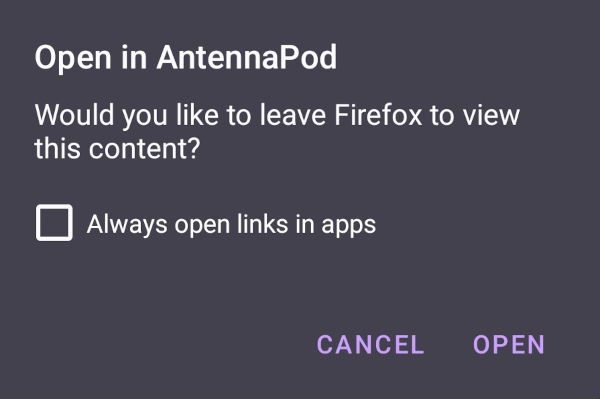
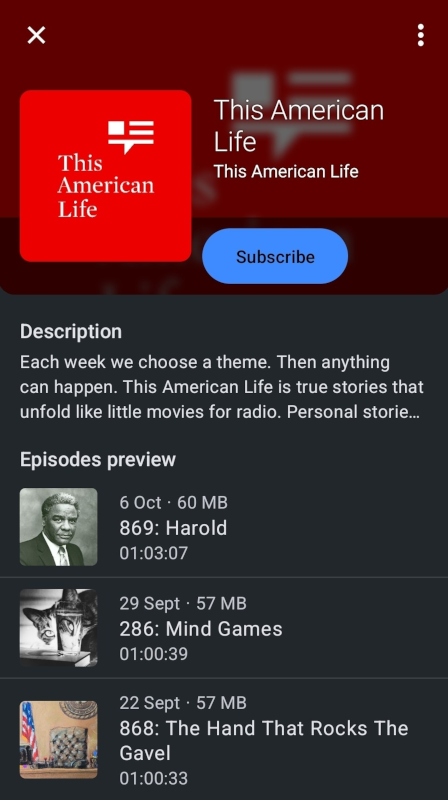
D’un autre côté, les utilisateurs qui n’ont pas installé AntennaPod verront une page avec les instructions pour télécharger l’application ou souscrire à votre podcast manuellement, comme sur cette page d’exemple.
Image de marque
Vous souhaitez utiliser notre logo pour créer un bouton personnalisé ‘Ouvrir dans AntennaPod’ ? Vous le trouverez dans notre dépôt “Branding”.