
「AntennaPodで開く」リンクを作成する
ネットワークや視聴者がAntennaPodにポッドキャストを追加するのを簡単にしたいですか? ウェブサイトなどに以下の形式のリンクを追加するだけでできます。xyz をRSSフィードのURLに置き換えて、abcをポッドキャストのタイトルに置き換えてください。
https://antennapod.org/deeplink/subscribe?url=xyz&title=abc
You could also turn the same link into a button, e.g. by using the following code:
<style>.antennapod-subscribe{ color: #fff; background: #007bff; display: inline-block; padding: 0.5em; text-decoration:none; border-radius:0.5em; font-family: sans-serif;} .antennapod-subscribe:hover {background: #0069d9;}</style>
<a href="https://antennapod.org/deeplink/subscribe?url=xyz&title=abc" class="antennapod-subscribe">Subscribe in AntennaPod</a>
What users see
Users who have installed AntennaPod and open that link will be able to preview episodes and subscribe to your podcast directly in the app, as in the screenshots below.
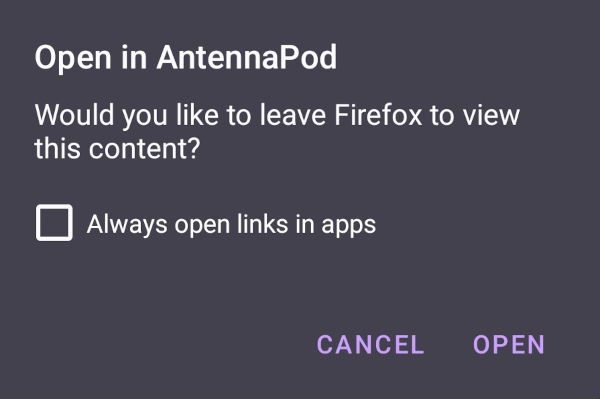
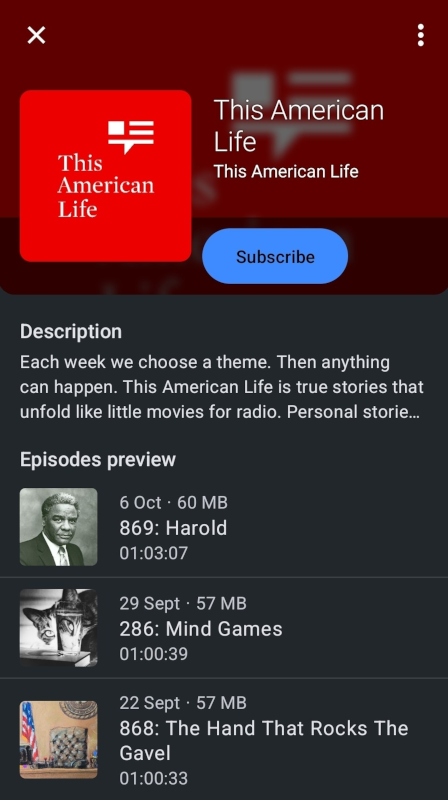
On the other hand, users who don’t have AntennaPod installed will see a page with instructions to download the app or to subscribe to your podcast manually, as in this example page.
Branding
Would you like to use our logo to create a branded ‘Open in AntennaPod’ button? You can find it in our branding repository.