
Crea un collegamento “Apri in AntennaPod”
Vuoi rendere più semplice per il tuo network o per il tuo pubblico aggiungere il tuo podcast su AntennaPod? Inserisci semplicemente un collegamento come quello qui sotto sul tuo sito o dove vuoi. Assicurati di sostituire xyz con l’URL del tuo feed RSS e abc con il titolo del tuo podcast. Tieni presente che se il tuo URL o il tuo titolo contengono caratteri speciali, come &, dovrai codificarli.
https://antennapod.org/deeplink/subscribe?url=xyz&title=abc
Puoi anche trasformare lo stesso collegamento in un pulsante, per esempio usando il codice di seguito:
<style>.antennapod-subscribe{ color: #fff; background: #007bff; display: inline-block; padding: 0.5em; text-decoration:none; border-radius:0.5em; font-family: sans-serif;} .antennapod-subscribe:hover {background: #0069d9;}</style>
<a href="https://antennapod.org/deeplink/subscribe?url=xyz&title=abc" class="antennapod-subscribe">Subscribe in AntennaPod</a>
Cosa vedono gli utenti
Gli utenti che hanno installato AntennaPod e aprono quel collegamento saranno in grado di visualizzare l’anteprima degli episodi e di iscriversi al tuo podcast direttamente nell’app, come mostrano gli screenshot di seguito.
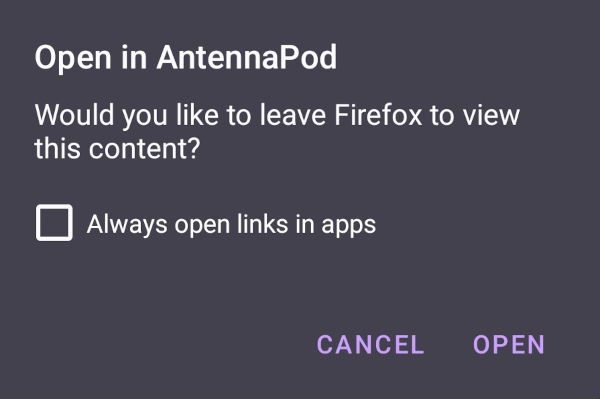
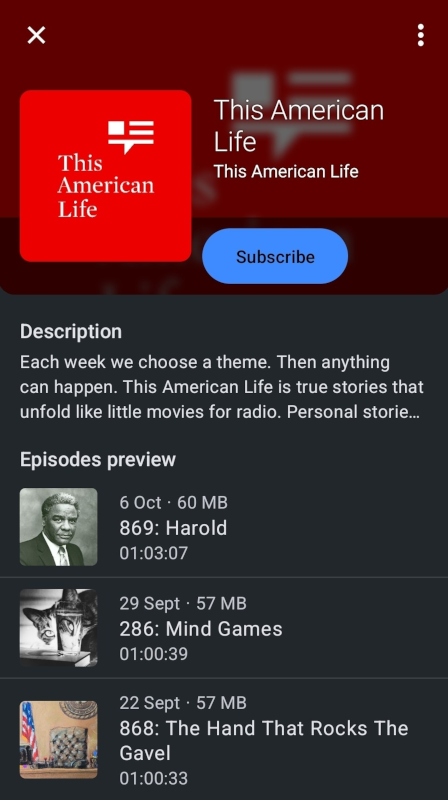
D’altro canto, gli utenti che non hanno installato AntennaPod vedranno una pagina con istruzioni per scaricare l’app o per iscriversi al tuo podcast manualmente, come in questa pagina di esempio.
Branding
Vorresti usare il nostro logo per creare un pulsante ‘Apri in AntennaPod’ brandizzato? Lo puoi trovare nel nostro repository del branding.